
How do I delete a device?
Deleting a device from the Moen Flo app will permanently remove its history and usage. This action is not reversible.
-
- To delete a device from your account in the Moen Flo app, go to the menu and select the device you would like to remove.

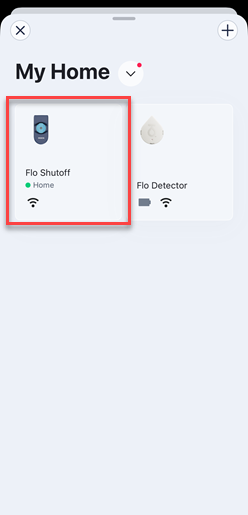
- Tap Settings at the top of the screen to open the device's settings.

- Scroll down and select Delete Device.

- Tap on Yes, Delete Device to confirm.
If you wish to re-add this device, you will need to go through the complete set up process again.
This article contains information relevant to the Moen Flo App, which was formerly known as the Moen Smart Water Network app, Moen Smart Water app, Moen app, and Flo by Moen app.
- To delete a device from your account in the Moen Flo app, go to the menu and select the device you would like to remove.