
Having issues connecting your Moen Flo Detector Wi-Fi network?
This article contains information relevant to the Moen Flo Detector, which was formerly marketed as the Moen Smart Water Detector and Moen Smart Leak Detector.
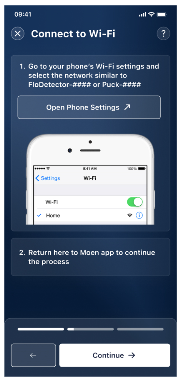
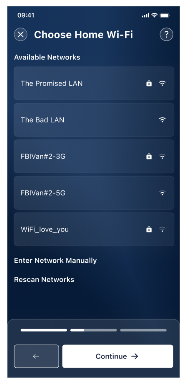
- Restart your Moen Flo Detector by pushing the small black button inside the device for 5 seconds. Wait a few seconds until the light is on and blinking blue. You can restart the Wi-Fi pairing process now.
- If you don’t see a blue blinking light after resetting the detector, please check that the battery is placed correctly and working properly.
 |
 |
If you are still experiencing issues, please reach out to the Moen Smart Water Support team for further assistance at 1-800-289-6636.
FAQs: Frequently Asked Questions |
Q: How do I restart my Moen Flo Detector?
A: To restart your Moen Flo Detector:
- Press and hold the small black button inside the device for 5 seconds.
- Wait a few seconds until the light turns on and starts blinking blue.
- Once the blue light is blinking, you can restart the Wi-Fi pairing process.
Q: What if the light doesn’t blink blue after resetting?
A: If you don’t see a blinking blue light:
-
Make sure the battery is installed correctly.
- Check that the battery is charged and functioning properly.
Q: What should I do if I’m still having trouble?
A: If the issue persists, please contact the Moen Smart Water Support team at 1-800-289-6636 for further assistance.