How do I install or replace the Sump Pump Monitor 9V Battery?
Use only non-rechargeable 9V alkaline batteries.
|
1. Unplug the Smart Sump Pump Monitor from the outlet.
|
|
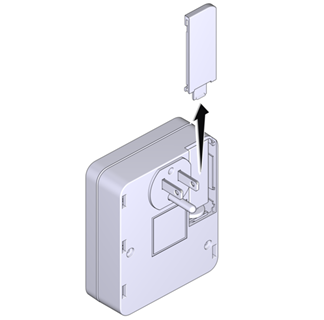
2. On the back of the Smart Sump Pump Monitor housing, slide the battery compartment cover off.
|
|
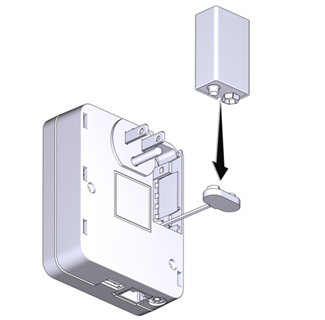
3. Connect the 9V Backup Battery to the battery snap of the Monitor with the proper orientation. If removing the 9V Battery Backup, remove the battery from the battery snap and then install the new 9V battery with the proper orientation.
|
|
4. Place the battery into the compartment of the Monitor and slide the cover back on.
|