
Electronic Faucets-Prior to 2016 FAQs
Question 1: Are Moen Commercial Electronic Faucets compatible with lithium batteries?
- Answer: Yes, the Moen Commercial Electronic Faucets are compatible with lithium batteries. Depending on the manufacturer, lithium batteries may last up to 25% longer than alkaline.
Question 2: Can the Temperature Control on the side of the Moen Commercial Electronic Faucet 8307 provide cold or hot water, or does it always deliver varying degrees of lukewarm water?
- Answer: Moen's current manual mixing Commercial Electronic Faucet 8307 blends hot and cold water and is incapable of providing solely hot or solely cold water.
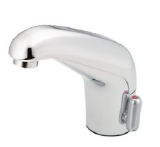
8307
Question 3: Can Adjustments be made to the Sensor Eye on a Moen Commercial Electronic Faucet 8305, 8306, 8307, 8308 series?
- Answer: No, sensor adjustments cannot be made to the Moen Commercial Electronic Faucet 8305-8308 series. The electronics are designed to be self-adaptive and will readjust to the environment when the batteries are replaced.
- If the Sensor Eye on a Moen Commercial Electronic Faucet 8308 series is not operating properly, Moen recommends the below steps
- Reset the electronics by standing where the user would stand while performing the reset.
- Replace the batteries.
- Replace the Electronic Module, Service Kit 104404.
Question 4: What if the electronic sensor is blocked on a Moen Commercial Electronic Faucet are blocked?
- Answer: The Moen Commercial Electronic Faucets 8301 series includes flush-valves that are equipped with an Auto-shut. The Auto-shut feature is adjustable from 0-60 seconds to ensure that the Moen Commercial Electronic Faucets 8301 series shuts off if the sensor is permanently blocked.
- The Moen Commercial Electronic Faucets 8305 series include a non-adjustable 30 second Auto-shut that activates when the Sensor is blocked.
Question 5: How do I winterize the Moen Commercial Electronic Faucets?
- Answer: Close the Main.
- Drain the Supply System
- Air Pressurize the Supply System.
- Activate Solenoid Valve By Placing Hands Within Sensor Range for 10 - 15 Seconds.
- This action will open the Solenoid Valve on your Moen Commercial Electronic Faucet and air pressure should clear the residual water from both the In-Line Filter and Solenoid Valve.
- Remove the Batteries and replace the Moen Commercial Electronic Faucet Top Cap.
Question 6: What are the optimal detection areas for the Moen Commercial Electronic Faucet 8305-8308 series?
- Answer: See image below.

Question 7: How can you switch between AC & DC power on the below the deck Moen Commercial Electronic Faucets?
- Answer: Remove the DC battery connection (Battery Pack)
- Plug the AC power adapter into the AC receptor.
- Flip AC/DC switch to AC
- Press reset button

Question 8: Do the batteries on the Moen Commercial Electronic faucets 8301, 8302, 8303, and 8304 serve as a backup power source if the faucet is converted to AC?
- Answer: No, the batteries do not function as a backup when converting to AC power.
|
Still Not Finding What You're Looking For? Hours: Monday to Friday 8am to 7pm EST |
To explore durable solutions built for real-world use visit MOEN-Commercial.com Your brand for reliable performance you can trust. |