
How to View: Area Temperature
The Area Temperature that is displayed in the App, is what the local temperature is for the location of your device by Zip/Postal Code. This temperature gives indications when temperatures may drop below freezing and may impact your entire home.
When the sensor inside the Moen Flo Shutoff starts to reach 36 degrees, a warning alert will be sent indicating a Freeze Warning, allowing you to take preventive measures to protect your plumbing from freezing.
See the article Freeze Warnings, to learn more about the Freeze Warning alert and how to prevent frozen pipes.
View Area Temperature in Moen Flo App
Moen Flo App |
|---|
|
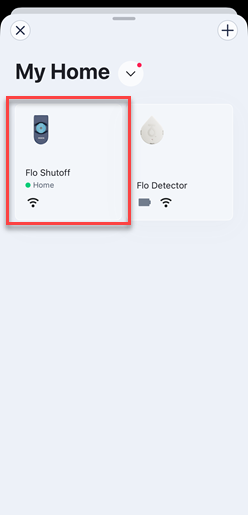
Open the menu, then select the Moen Flo Shutoff device you want to view.
|
|
On the Moen Flo Shutoff home page, you can view the Area Temperature. This is displayed in real-time. To view Historical Area Temperature, select the date range you want to view. |
|
Scroll down to Area Temperature to view the data for the date range you selected.
|



View Area Temperature on user.meetflo.com
Log onto user.meetflo.com with your Flo by Moen account email and password. On the home page, the current Area Temperature will be displayed.

To view Historical Area Temperature, select Usage, then select Vital Measurements. Then select date range you want to view.
You can also download this information by selecting the green Download button.

This article contains information relevant to the Moen Flo Shutoff, which was formerly known as the Flo Smart Water Monitor and Shutoff system.
This article contains information relevant to the Moen Flo App, which was formerly known as the Moen Smart Water Network app, Moen Smart Water app, Moen app, and Flo by Moen app.