
Hydrotek Flush Valve Troubleshooting
Sensor-Operated Flush Valves: |
|
Prior to 2017
|
After 2017
|
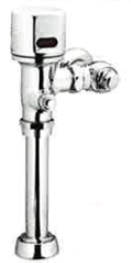

Parts of the Sensor-Operated Flush Valves: |
To view all the parts of the Sensor-Operated Flush Valves, click here.
- Please note: This includes both AC and Battery Powered versions prior to 2017 (pages 3 and 4) and after 2017 (pages 1 and 2).
Sensor-Operated Flush Valves Troubleshooting: |
Battery-Powered and AC-Powered Flush Valves:
Normal Operation: When new batteries are inserted or AC power is connected or RESET button is pushed, the lights on the Printed Circuit Board (PCB) will blink in the following sequence: Red, Red (with solenoid clicking), Green, Red and Red. Green light will stay on. When the user enters the sensor beams' effective range, the red light will flash one time on battery-operated flush valves and will stay on with AC-powered models. If the user stays in the effective range for more than 4 seconds and steps away, the valve will activate (I) flush cycle. The flush valve unit will automatically reset for the next user. When the manual OVERRIDE button is pushed the flushing mechanism will be activated without impacting the mode of automatic operation. On battery operated models, the red indicator light flashes when batteries are low.
Please Note:
- Always push the RESET button BEFORE diagnosing any problem and AFTER taking a corrective action
- Worn batteries are the leading cause of malfunctions
Symptom- Flush Valve Will not Flush |
| Possible Cause | To Diagnose | Solution |
|---|---|---|
| Water does not turn on | Check water supply. | Turn water on at the valve |
| Power supply failure | Check polarity of batteries (or Power Adapter voltage), and connections. | Replace batteries (or Power Adapter), re-connect. Push RESET Button. |
| Batteries are weak | Red indicator light flashes, no click. | Replace batteries. Push the RESET button. |
| Sensor distance is too short | Stand in front of Flush Valve to find focal point of sensor beam. | To adjust sensor distance out, turn adjustment screw clockwise. Push the RESET button. |
| PC Board does not respond | No light, no action. | Replace batteries (or Power Adapter). Replace PCB. Push RESET button. |
| Sensor eye does not respond | Red indicator light does not blink. | Replace batteries (or Power Adapter). Replace sensor eye and cable. Push the RESET button. |
| Sensor eye angle adjustment | Beam not detecting user. | Disassemble control unit, rotate lens up/down with finger. Push the RESET button. |
| User time in sensor range too short | Stand in front of the Flush Valve. The red indicator light only flashes once. | Stand in sensor for more than 4 seconds, then move away. Push the RESET button. |
| Solenoid Valve is clogged. | Solenoid is clicking, but water does not flow. | Clean solenoid and blow free all by-pass holes. Replace solenoid. Push the RESET button . |
Symptom - Flush Valve Will Not Shut Off |
| Possible Cause | To Diagnose | Solution |
|---|---|---|
| Solenoid coil malfunction | Light blinks but no solenoid clicking. | Replace batteries (or Power Adapter). Replace solenoid coil. Push the RESET button. |
| Solenoid is dirty | Solenoid valve is normally closed. Clicking sound means the solenoid is dirty. | Replace the solenoid valve. Push the RESET button. |
How to adjust settings on a Circuit Board: |
For information on Circuit Boards, Dip Switches and adjusting settings, please click here.
|
|
Helpful Videos: |
.png?revision=1&size=bestfit&width=144&height=118) |
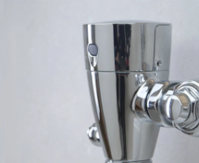
Moen M-Power Commercial Sensor Flush Valves Features and Benefits | 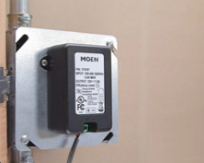.png?revision=1&size=bestfit&width=148&height=118) |
Installing the Moen AC Transformer, 104630 | .png?revision=1&size=bestfit&width=146&height=118) |
Setting the Flush Volume on Moen M-Power Commercial Sensor Flush Valves |
| Still Not Finding What You're Looking For? Contact Us or Call 1-877-MOEN-PRO (1-877-663-6776) Hours: Monday to Friday 8am to 7pm EST |
To explore durable solutions built for real-world use visit MOEN-Commercial.com Your brand for reliable performance you can trust. |